 Capplicorn日本語 / English
 PlainText+
Plain text, a little more useful.
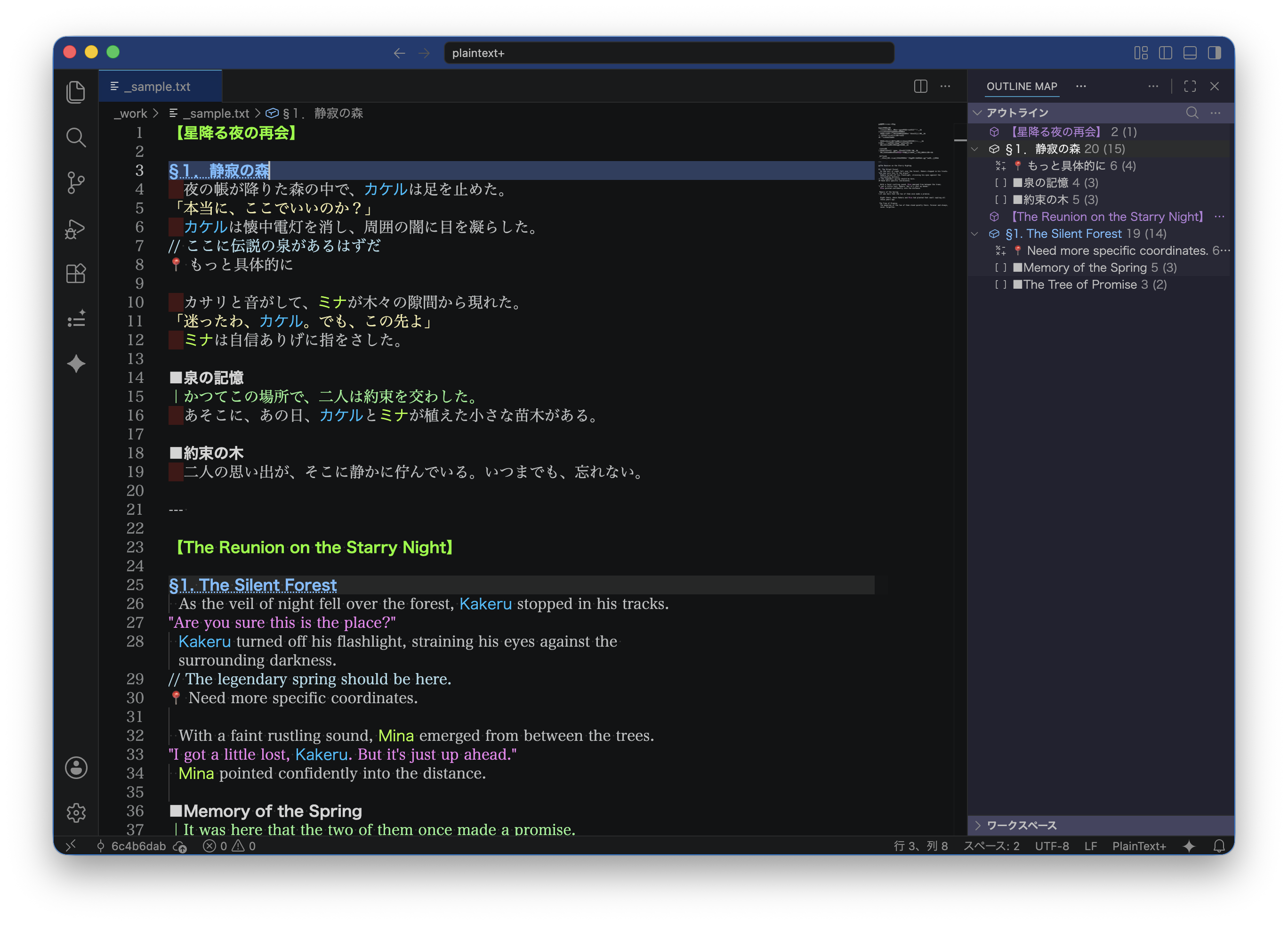
PlainText+ is an extension for VS Code. There is no new syntax to learn and no switching back and forth with a preview. Put a symbol at the start of a line and it becomes part of an outline; keywords and dialogue you register are highlighted automatically.
Main uses
Notes, diaries, novels and more
Features
- Outline: instantly builds an outline from symbols at the start of a line (such as 【, ▼, ■), with levels and Sticky Scroll support
- Highlighting: flexible styling for keywords, lines, comments and delimiters, including nested ones
- Dictionary completion: typing “@” offers your registered words as completions
- Navigation: commands to jump to the next or previous outline item
- Folding: fold by outline item, plus a “Fold Others” command that keeps only the current position open
Getting started
Search for “PlainText+” in the VS Code Extensions view, install it, then add your outline and highlight settings to settings.json. Sample settings are on the Marketplace page.